

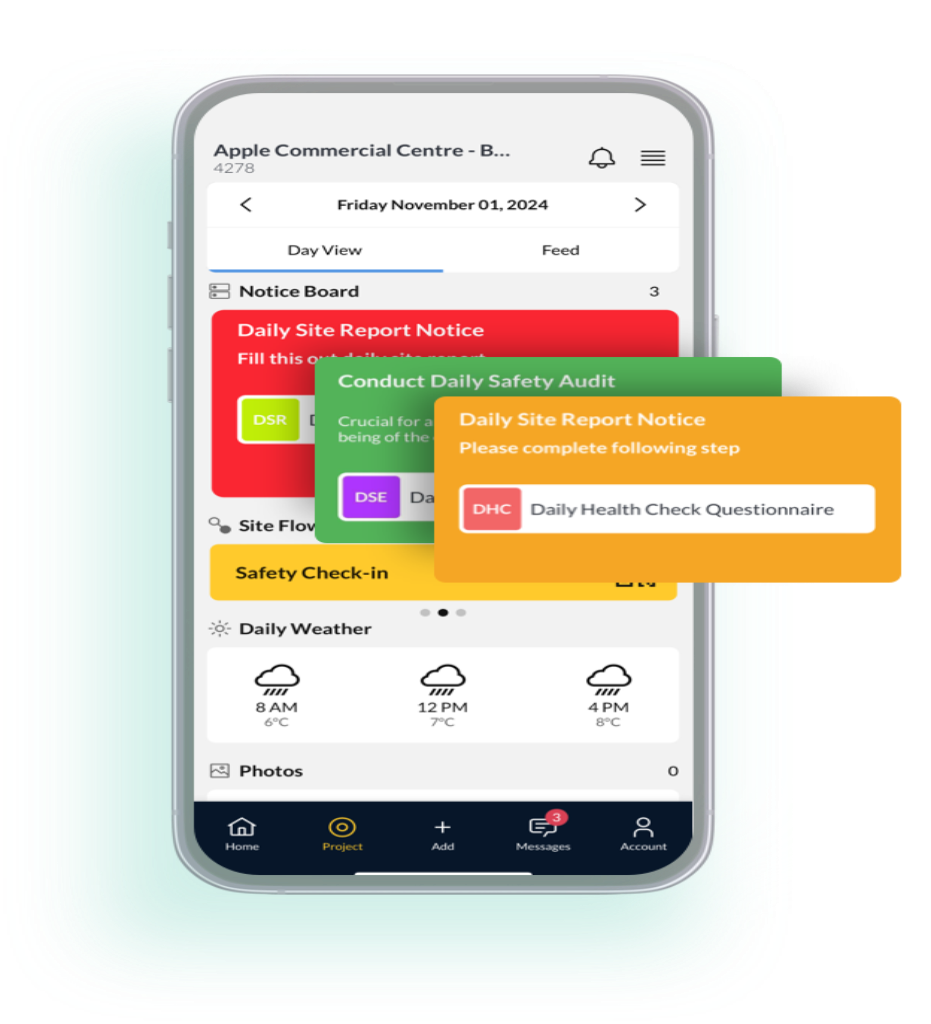
Mobile construction management is transforming the way project teams access information, record progress, and collaborate in real time. In a fast-moving industry, teams depend on instant updates, remote access, and reliable communication. A solution like the SiteMax mobile app supports these needs by bringing all essential tools to a worker’s phone or tablet. This blog explains what mobile construction management is, why it matters, the benefits it offers, how it improves reporting, and how it helps field teams stay connected. We will also discuss tools like a construction management app, construction reporting software, and even how to create a construction site checklist to streamline daily tasks. By the end, you will know exactly how to maximize mobile efficiency on any project.
What Is Mobile Construction Management?
Mobile construction management refers to the use of mobile devices and dedicated apps that allow project teams to oversee daily operations, document work, and access project data from any location. Tools like the SiteMax mobile app give instant visibility into tasks, schedules, equipment, materials, and safety updates. With remote access, teams stay aligned whether they are in the office or on the jobsite. This approach reduces delays, improves communication, and helps managers maintain accurate records through real-time updates.
Mobile Construction Management in Simple Terms
Mobile construction management means using a phone or tablet to manage your project. You can check schedules, upload photos, complete forms, and send updates from anywhere. It keeps everyone connected without needing to return to the office.
Why Mobile Construction Management Matters
The construction industry depends on speed and accuracy. Mobile construction management helps teams avoid miscommunication, reduce paperwork, and manage tasks faster. With remote access through tools like the SiteMax mobile app, project managers can make decisions quickly. It also enhances productivity, safety, and reporting accuracy.
Benefits of Mobile Construction Management
A mobile-first approach allows teams to work smarter and move faster. It improves communication, enhances documentation, and supports better decision-making. With direct access to project files, photos, forms, and instructions, field teams save time and reduce costly errors. Using mobile tools also helps keep project data organized and easy to track, especially when multiple subcontractors and teams are involved.
Better Collaboration and Communication
Mobile construction management improves teamwork by keeping everyone informed. With the SiteMax mobile app, updates are shared instantly. This reduces confusion and ensures that tasks stay on schedule. Remote access means less waiting for approvals or instructions since managers can respond quickly.
Improved Data Accuracy and Reporting
Using mobile tools reduces manual paperwork. Construction reporting software makes it easy to record progress, log issues, and upload photos on the spot. Accurate digital records help managers track productivity and identify problems before they grow. This leads to better project forecasting and fewer mistakes.
Higher Productivity and Time Savings
Mobile tools help crews complete tasks faster. Instead of walking back to the office for paperwork, they can complete forms and checklists on their device. Even learning how to create a construction site checklist becomes easier with digital templates. This saves time and keeps the project moving efficiently.
Step-by-Step Mobile Construction Management Process
- Start by selecting the right mobile construction management
- Evaluate project needs such as daily logs, scheduling, reporting, and safety tracking.
- Set up the SiteMax mobile appand make sure your entire team is trained to use it.
- Upload all project documents so field teams have remote accessto drawings, instructions, and digital checklists.
- Create standardized workflows, including digital safety inspections and daily reporting forms.
- Encourage team members to upload site photos to improve documentation quality.
- Sync all project data through the cloud so both office staff and field teams can see real-time updates.
- Review analytics and reports to measure project performance and find improvement opportunities.
- Maintain consistent communication and ensure team members update information regularly for the best results.
Key Features of Mobile Construction Management
Mobile construction management includes several essential features that support daily work. The SiteMax mobile app provides real-time access to schedules, task lists, and project notes. It includes tools for daily logs, safety inspections, digital checklists, and photo documentation. Remote access allows teams to view updated drawings and verify design changes instantly.
Many mobile platforms include time tracking, equipment management, and delivery monitoring. Construction reporting software integrates with these platforms to generate accurate reports automatically. The ability to centralize data helps reduce errors and keeps everyone focused on priorities throughout the project.
Common Mistakes in Mobile Construction Management
Some teams overlook the importance of proper training before using a mobile platform. Without training, workers may not use tools consistently, leading to gaps in data. Another common mistake is failing to update project files, which causes confusion in the field. Some companies rely only on the office team to manage reporting instead of encouraging field workers to submit real-time updates. Delayed reporting can create inaccurate documentation. Finally, ignoring the setup of digital workflows can make a mobile app less effective. A construction management app works best when teams follow organized processes.
Best Practices for Mobile Construction Management
Teams can get better results by developing clear workflows, assigning responsibilities, and updating data daily. It’s also important to choose tools that support remote access so team members can work from any location. Using the SiteMax mobile app improves communication and keeps tasks organized. Consistent use of digital forms and checklists reduces errors and keeps reports accurate.
Train Your Team Effectively
Training helps workers feel comfortable using mobile tools. When they understand how to record reports, upload photos, or complete checklists, productivity improves. Training also keeps data consistent across teams.
Use Standardized Digital Forms
Digital checklists and forms help maintain quality. They guide workers through each step of the task. Learning how to create a construction site checklist improves organization and ensures safety and compliance.
Useful Tools and Resources for Mobile Construction Management
- The SiteMax mobile appoffers full project features, including remote access to drawings, schedules, and reports.
- Construction reporting softwareimproves organization by generating accurate logs and daily updates.
- Cloud storage platforms securely store project documents and allow fast, seamless sharing across teams.
- Digital checklists and templates help workers complete inspections, track progress, and stay consistent.
- Using these tools together creates a flexible system that simplifies daily tasks and strengthens overall project planning.
Professional Insights on Mobile Construction Management
Experts agree that mobile construction management improves accuracy and communication. When field teams can update information instantly, project managers make better decisions. Using tools like the SiteMax mobile app creates transparency, encourages collaboration, and reduces paperwork. Remote access ensures that drawings, instructions, and checklists are always up to date. Many professionals believe the shift toward mobile platforms will continue to grow as companies seek faster and more reliable communication methods.
Final Thoughts
Mobile construction management supports modern project teams by giving them fast access to essential data. With tools like the SiteMax mobile app, remote access becomes easier, reporting becomes more accurate, and daily tasks become smoother. Mobile workflows help teams avoid delays, improve communication, and maintain control over project activities. As more companies adopt mobile tools, the construction industry continues to improve efficiency and productivity. Contact us to learn more or explore related guides.
FAQs:
1. What is mobile construction management?
Mobile construction management is the use of mobile tools and apps to manage job sites, track progress, and access documents remotely. It improves communication and keeps teams updated in real time.
2. How does the SiteMax mobile app support construction teams?
The SiteMax mobile app offers remote access to drawings, reports, schedules, and checklists. It also helps streamline communication and creates accurate digital records.
3. Why is mobile access important for project data?
Mobile access lets field teams view updates instantly, complete daily logs, upload site photos, and stay aligned with the office. It reduces delays and improves decision-making.
4. Can mobile tools replace traditional construction reporting software?
Yes, many mobile platforms include advanced reporting tools. They allow teams to create accurate digital logs, real-time updates, and organized project records without paperwork.
5. How do I create a construction site checklist on mobile?
You can use digital templates in your construction management app. Many apps include built-in forms that let you customize items and track inspections easily on-site.


