Subcontractor Management Software: Mobile Workflows, No App Required
SiteFlow lets your subcontractors and third parties complete your jobsite workflows on their own phone. They scan a QR code, enter a phone number and start, and every submission is logged to the project.
Trusted on 150,000+ jobsites.
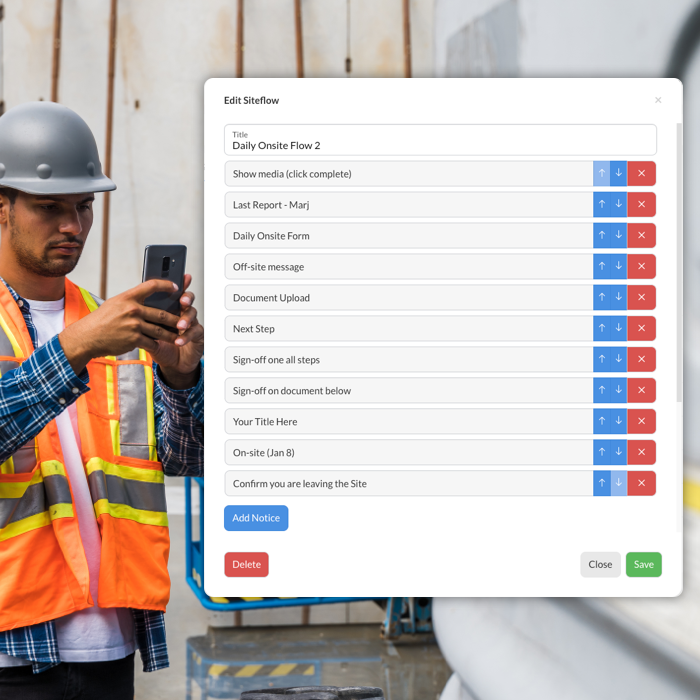
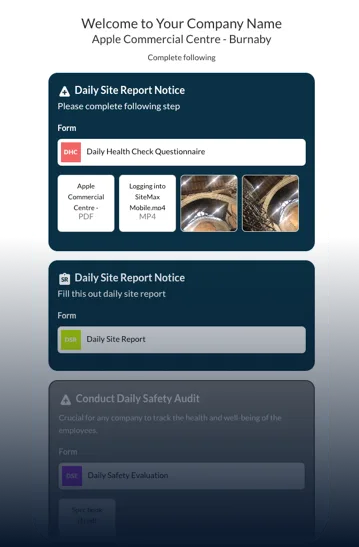

Everything you need to engage subs on site
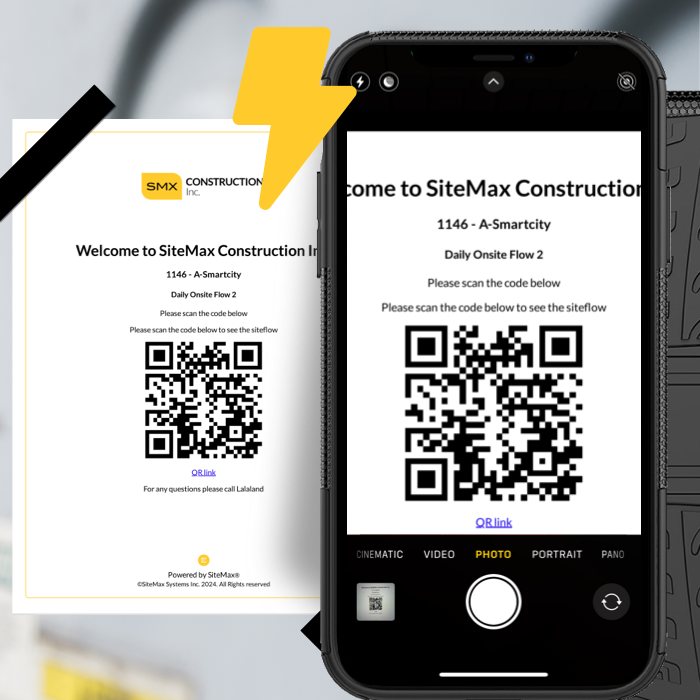
QR code pages
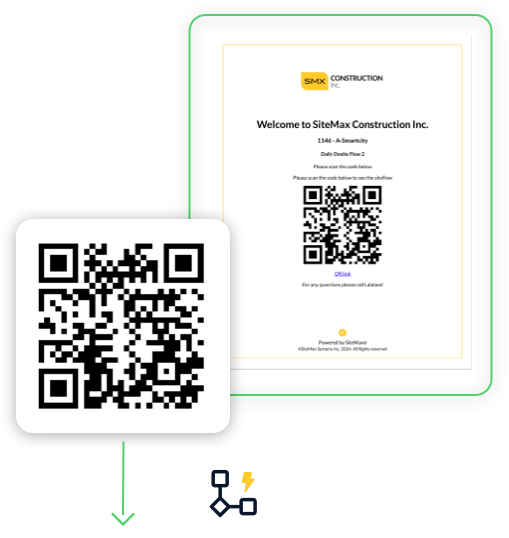
Generate the QR code page from the web, then print and post it on site or send the link.
No app to download
Subs and third parties scan a QR code or open a link, enter a phone number and begin.
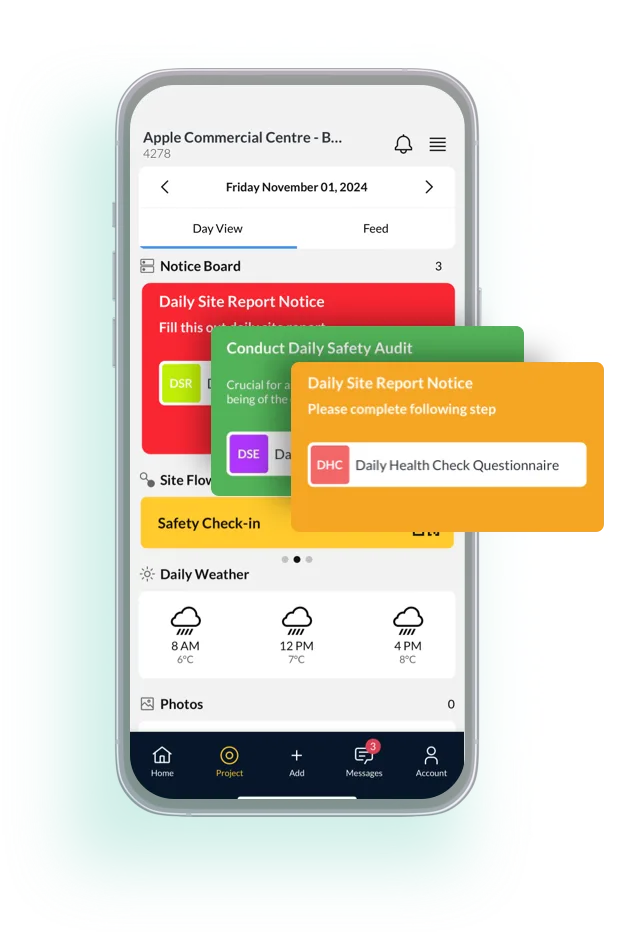
Step-by-step workflows
Each workflow appears one screen at a time, so subs know exactly what to do next.
Declarations, forms and signatures
Steps can include safety declarations, form completion, document acknowledgments and signature capture.
Realtime compliance counts
See who is completing your workflows as it happens, and follow up with the rest.
Automatic records
Every submission is logged, timestamped, archived and attached to the project.
From QR code to project record in three steps
Build the workflow once
Set up the steps you need and reuse them across every project, sub and shift.
Post the QR code or send the link
Print the QR code page for the jobsite, or share the link directly.
Subs complete it on their phone
They enter a phone number, get a text link and finish the steps. The record is saved to the project.
Why contractors are replacing paper sign-in sheets
Paper sheets and extra apps are common, but both leave gaps in your subcontractor records. Here is how the approaches compare.
Paper sheets and extra apps
Subs sign a clipboard at the gate or share a site tablet. Sheets get lost or are hard to read. A separate sub app means each trade must download it and create an account first.
SiteMax SiteFlow
Subs scan a posted QR code or open a link, enter a phone number and follow your workflow on their own phone. Each submission is logged with who completed it and when. Compliance counts update in real time, and the record is stored with the project.
Less setup, more compliance, every sub engaged
Faster sub onboarding
Subs and third parties participate in seconds, not days, with no software to install.
Stronger compliance
Realtime counts show who has completed your workflows, so gaps are visible early.
A complete jobsite record
Every third-party submission is timestamped and archived in one place, ready to reference.
What is subcontractor management software?
Subcontractor management software helps general contractors coordinate the trades and third parties working on their sites. It captures check-ins, safety acknowledgments, sign-offs and site logs from people outside your own company, and keeps that record in one place.
SiteFlow is the SiteMax tool for this. Subs scan a QR code or open a link, enter a phone number and receive a secure text link. Your workflow then opens one screen at a time on the phone they already carry.
Every sub on site should leave a record
Paper sign-in sheets and shared tablets make it hard to know who completed what. Asking every sub to install another app and create an account slows things down, and many never finish setup.
SiteFlow removes that step. There is no app store, account or login. You get a digitized record of who completed each workflow and when, plus realtime compliance counts.
Subcontractor software for construction teams of every size
Construction teams of 5 to 1,000
Coordinate many subs across active sites without onboarding everyone into another app. Superintendents get daily check-ins and safety acknowledgments from every trade.
Contracting teams of 5 to 100
Bring your own lower-tier subs and suppliers into a simple process. Your office gets a clean record without collecting paper from the field.
Self-performing teams
Give visitors, vendors and in-house crews one easy way to sign in and complete site steps. Stakeholders can see who is keeping up.
What to look for in subcontractor management software
Subcontractor tools only work if the subs actually use them. When comparing options, ask these questions.
Do subs need to install an app or create an account?
Every extra step lowers participation. Look for tools that work from a link or QR code.
Can you set the workflow to match your process?
Choose software that lets you build and reuse your own workflows.
Can you see compliance as it happens?
Look for realtime counts of who has and has not completed each workflow.
Is every submission recorded?
Make sure each submission is timestamped, archived and tied to the project.
Does it connect to your safety program?
Sub workflows should sit next to your own forms and documents, not in a separate system.
Connect SiteFlow to the rest of your jobsite
SiteFlow and subcontractor management questions
What is subcontractor management software?
Subcontractor management software helps general contractors coordinate the trades and third parties on their sites. It captures check-ins, safety acknowledgments, sign-offs and site logs from people outside your company and stores them in one place. This gives you a clear record of who was on site and what each sub completed.
Do subcontractors need to download an app to use SiteFlow?
No. Subs scan a QR code or open a link, enter their phone number and receive a secure text link. There is no app store, account or login. The workflow opens on the phone they already carry, one screen at a time.
Can I use SiteFlow for site inductions and safety declarations in SiteMax?
Yes. A SiteFlow QR workflow can include safety declarations, form completion, document acknowledgments and signature capture. Common uses include site inductions, orientation sign-offs, daily health declarations, PPE compliance checks, equipment pre-start checks and visitor sign-ins. The completed record is stored and attached to the project automatically.
How do I share a SiteFlow workflow with subs?
Generate the QR code page from the web. You can print it and post it at site entrances, equipment stations or hazard areas, or send the link directly. Build the workflow once and reuse it across every project, sub and shift.
How do I know which subs have completed a workflow?
SiteFlow shows realtime compliance counts, so you can see who is completing your workflows as it happens. Every interaction is logged with who completed what, when and from where. You can spot your best performers and follow up with the rest without chasing paper.
What should I look for in subcontractor management software?
Start with adoption: if subs must install an app or create an account, many will not. Then check that you can build your own workflows, see compliance in real time and keep a timestamped record of every submission. Finally, make sure it connects to your safety forms and documents rather than sitting in a separate system.