Capture, Organize,
and Share Site Photos,
Straight From the Field.
A picture is worth a thousand progress reports. SiteMax Photos lets your field teams capture jobsite conditions on the spot, organize images into collections, and share them with stakeholders in seconds, from any device.
Photos Without Context
Are Just Pixels.
Site photos end up scattered across personal phones, email threads, and shared drives with no consistent naming, no dates, and no connection to the project they belong to.
When a dispute arises or an owner asks for proof of progress, your team wastes hours hunting through camera rolls and inboxes trying to piece the story together.
A Centralized, Organized
Photo Library
for Every Project.
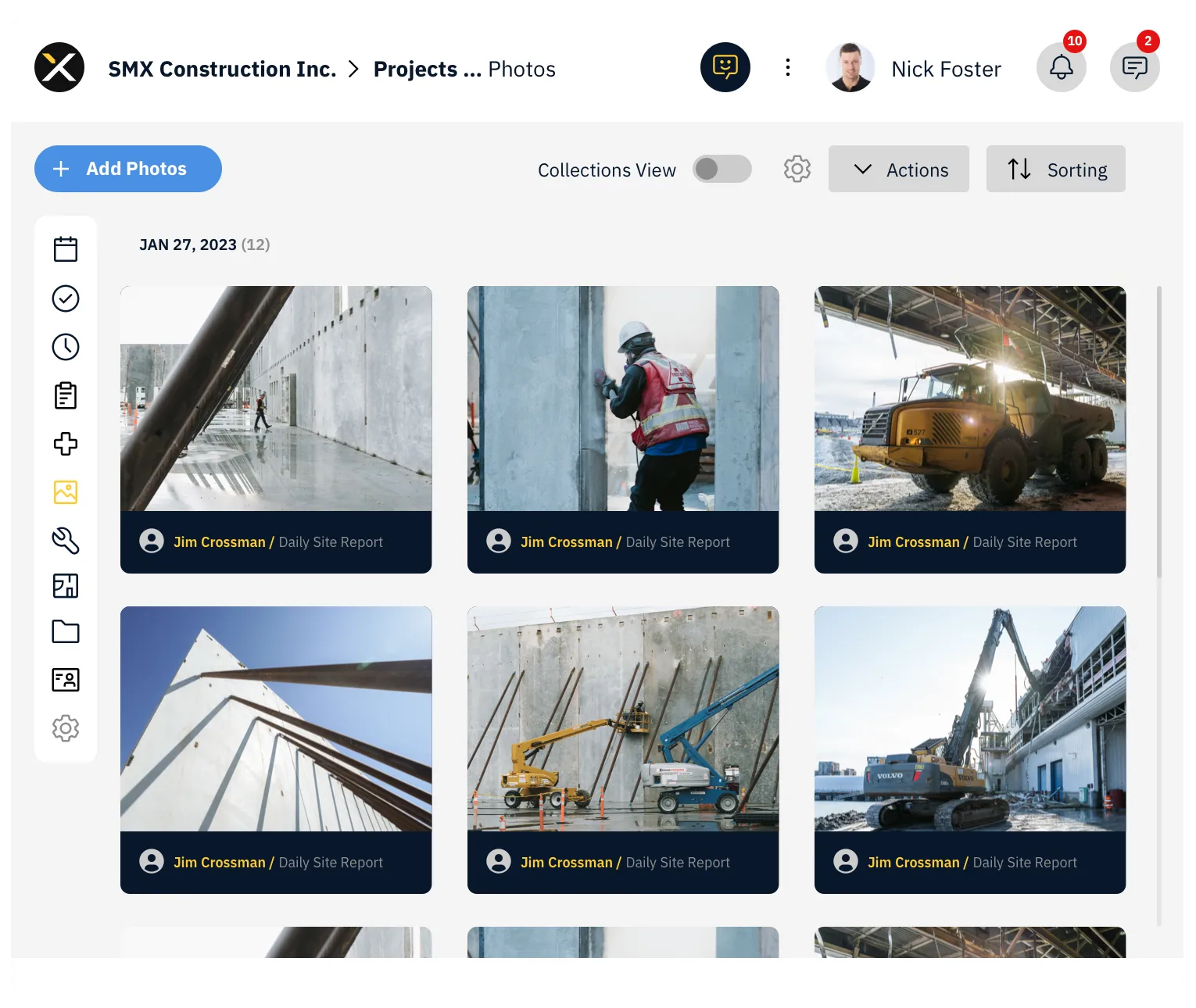
SiteMax Photos gives every project a centralized, organized photo library that your entire team can contribute to from the field.
Photos are tied directly to projects, tagged with dates and metadata, and organized into collections, so when you need to find that framing inspection shot from three months ago, it's right where you expect it.
A Visual Record
You Can Actually Find.
Field crews add photos directly from the SiteMax mobile app, no separate camera app, no manual uploads later. Photos are instantly tied to the project and date, creating a visual timeline of progress without any extra effort.
Add photos straight into the Day View for quick daily documentation, or use the Photos Module to organize uploads into specific Collections. Either way, it takes seconds.
Group photos into Collections, by trade, by phase, by area, by whatever makes sense for your project. Toggle Collections View on and off. Move photos between collections at any time. Your photo library stays clean and navigable even on projects with thousands of images.
Select photos, hit Share, and SiteMax generates a shareable link. Send it to owners, consultants, inspectors, or anyone who needs to see what's happening on site, no SiteMax account required. Share from web or mobile with equal ease.
Every photo is timestamped and tied to a project. When questions arise about what was installed, when work was completed, or what conditions looked like before a change, your photo record has the answer.
Every Image, in Context.
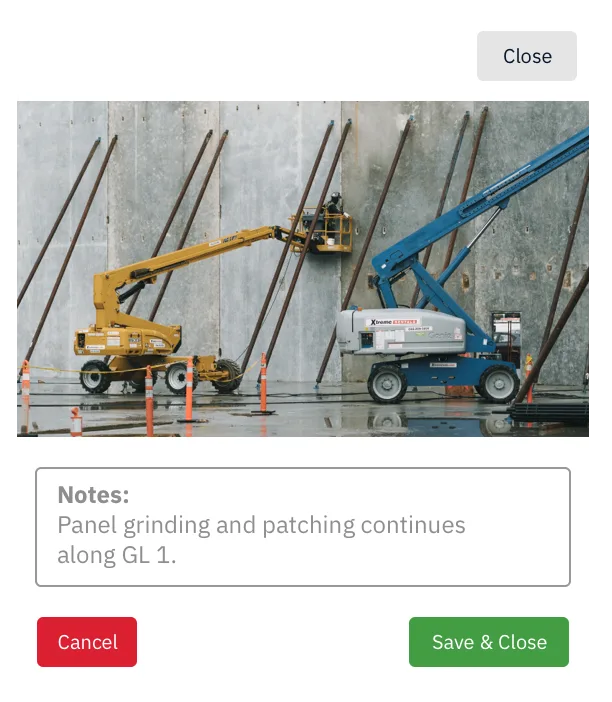
Each photo carries its date, project, and contributor automatically. Add tags. Move it between collections. Share it. Link it to the daily report or punch item it documents.
When closeout, claims, or owner reviews come, the photo record is structured, retrievable, and complete.
Everything You Need
to Document a Jobsite.
Add photos directly into a project's Day View with a single click. Hover over the Photos action, click "+", browse your files, and upload. Fast daily documentation without leaving the project dashboard.
For more organized uploads, use the Photos module:
- Open your project and click Photos
- Select "+ Add Photos"
- Choose a Collection (or upload without one)
- Browse your computer or select from existing photos
Upload to specific collections for immediate organization.
Create collections to group photos logically:
- Toggle "Collections View" to see and manage your collections
- Click "+ Add Collection" to create a new one
- Name your collection and start adding photos
- Move photos between collections anytime using the Actions dropdown
- Select photos, choose "Add to Collection", pick the destination, and upload
- Open the project and navigate to Photos
- Use the Actions menu to choose "Select"
- Select the photos you want to share
- Click Actions again and choose "Share Photos"
- A shareable link is generated, copy it or choose your sharing method
- Open the SiteMax mobile app and select your project
- Tap the three-dot menu and choose "Photos"
- Tap "Share Photos" and select the images you want
- Tap Share to generate a shareable link
- Send via messaging, email, or any mobile app
Photo upload and sharing requires Create permissions for Photos. Apply permissions individually or through Permission Templates to control who can contribute to your project's visual record.
Built for Every Role
That Documents Jobsite Work.
Who need a reliable visual record of progress for client reporting and dispute resolution.
Who want their crews to document conditions and progress without extra admin work.
Who need to share visual updates with owners, architects, and consultants quickly.
Who need timestamped photographic evidence of site conditions and compliance.
You Can Count On.
See how SiteMax Photos keeps your entire project documented, organized, and shareable. Book a personalized demo with our team.