Construction Submittal Software for Shop Drawings, Vendor Approvals and Handover
SiteMax Submittals puts the entire submittal workflow in one place, from shop drawing request through final approval, so you stop chasing sign-offs across email chains.
Available as an add-on. Trusted on 150,000+ jobsites.

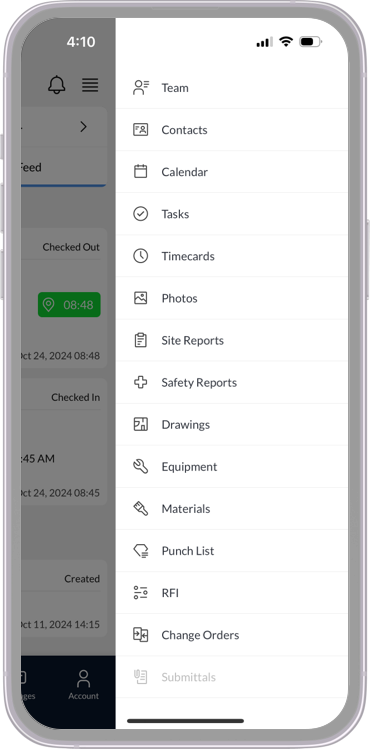

Everything your submittal process needs in one place

Shop drawing requests
Submit and receive shop drawings in a structured workflow instead of loose email attachments.
Vendor communication
Keep all vendor correspondence attached to the submittal record it belongs to.
Submittal register
Track the status of every submittal across the full project package in one list.
Approval schedule tracking
Know what is due and what is overdue, so approvals do not hold up the work.
Review and sign-off workflow
Route each submittal to the right reviewer automatically.
Status visibility and document linking
See Submitted, Under Review, Approved or Rejected at a glance, and connect approvals to specs and drawings.
From request to approval in three steps
Request the submittal
Log the shop drawing request in the register and set when it is due.
Collect and route
The vendor's submission and messages attach to the record, and it routes to the right reviewer.
Approve and link
The reviewer approves or rejects it, and the approval links to the related specs and drawings.
Why contractors are moving submittals out of email
Email and spreadsheets can work on a small job, but they leave gaps as the submittal list grows. Here is how the two approaches compare.
Email and spreadsheet submittals
Shop drawings travel as attachments, and replies are spread across several inboxes. Someone updates a spreadsheet by hand, so status is often out of date. At closeout, approved submittals have to be collected one by one.
SiteMax Submittals
Each submittal has one record with its vendor correspondence, reviewer and status. Approvals are routed to the right person, due dates are tracked, and approved items link to specs and drawings for handover.
Faster approvals, no lost submittals, a clean handover
Faster approvals
Reviewers are routed automatically, and overdue items are easy to spot and follow up.
No lost submittals
Every shop drawing and vendor message lives on its submittal record, not in someone's inbox.
Clean handover package
Approved submittals are already organized and linked to their specs and drawings at closeout.
What is construction submittal software?
Construction submittal software is a digital tool for managing shop drawings and other submittals from request to approval. Instead of tracking them in email and spreadsheets, your team keeps every submittal in one register with its status, reviewer and correspondence.
The goal is simple: request shop drawings early and keep vendors on one approval workflow. When the project closes, the approved record is ready for a clean handover package.
Submittals are where projects quietly fall apart
Shop drawings get lost in email. Approvals are delayed because nobody knows where things stand. Each delay can hold up ordering, fabrication and the work that follows.
With SiteMax Submittals, every request, vendor message and approval lives on one submittal record. Reviewers are routed automatically, and your team can see what is due and what is overdue.
Submittal software for construction teams of every size
Construction teams of 5 to 1,000
Manage submittals across trades and vendors without buying heavy project management software. One register means fewer missed approvals and fewer miscommunications.
Contracting teams of 5 to 100
Send shop drawings and track their approval in one place instead of juggling email threads. You always know where your submittals stand.
Self-performing teams
Give in-house teams a lightweight way to request, review and approve submittals. Clear status keeps key stakeholders informed and accountable.
What to look for in construction submittal software
Not every submittal tool fits how your projects run. When comparing options, these are the questions that matter most.
Does it give you one register for the whole package?
You need to see every submittal and its status in one list, not across several spreadsheets.
Does vendor correspondence stay with the submittal?
Messages and attachments should live on the record, so the history is there when questions come up later.
Can it route reviews automatically?
Manual handoffs are where approvals stall. Look for a workflow that sends each submittal to the right reviewer.
Can you see what is overdue?
Approval schedule tracking shows what is due and what is late before it delays ordering or installation.
Does it connect to specs and drawings?
Approvals linked to their specs and drawings make closeout and handover easier.
Connect submittals to the rest of the project
Construction submittal software questions
What is a submittal in construction?
A submittal is information a contractor or vendor sends for review before work or ordering goes ahead. Common examples are shop drawings, product data and samples. The design team or project lead reviews each one and approves or rejects it. Tracking submittals closely matters because a late approval can delay fabrication, delivery and the work that depends on it.
What is construction submittal software?
Construction submittal software replaces email chains and spreadsheets with one register for every submittal on a project. Each submittal has a record holding its shop drawings, vendor correspondence, reviewer and status. Your team can see what is due, what is overdue and what has been approved, and keep the approved record ready for handover.
Can I manage shop drawing requests in SiteMax?
Yes. SiteMax Submittals lets you submit and receive shop drawings in a structured workflow. Each request has its own record, and vendor communication is attached to it. The submittal is then routed to the right reviewer, and its status updates from Submitted to Under Review to Approved or Rejected.
How do I track submittal approvals and due dates?
SiteMax Submittals tracks the approval schedule so you know what is due and what is overdue. The submittal register shows the status of every item across the project package. Statuses include Submitted, Under Review, Approved and Rejected, so your team can follow up on late items before they hold up the work.
Can vendors work on submittals in SiteMax?
Vendor communication is attached to each submittal record, so all correspondence stays in one place. Either way, your team sees the full exchange on the record instead of searching inboxes.
How do submittals help with project handover?
Approved submittals are part of the record an owner expects at closeout. In SiteMax, each approval is linked to its specs and drawings, and every vendor message stays on the submittal record. That means your handover package is built as the project runs, rather than collected from email at the end.