Construction Daily Report Software: Done Before You Leave the Jobsite.
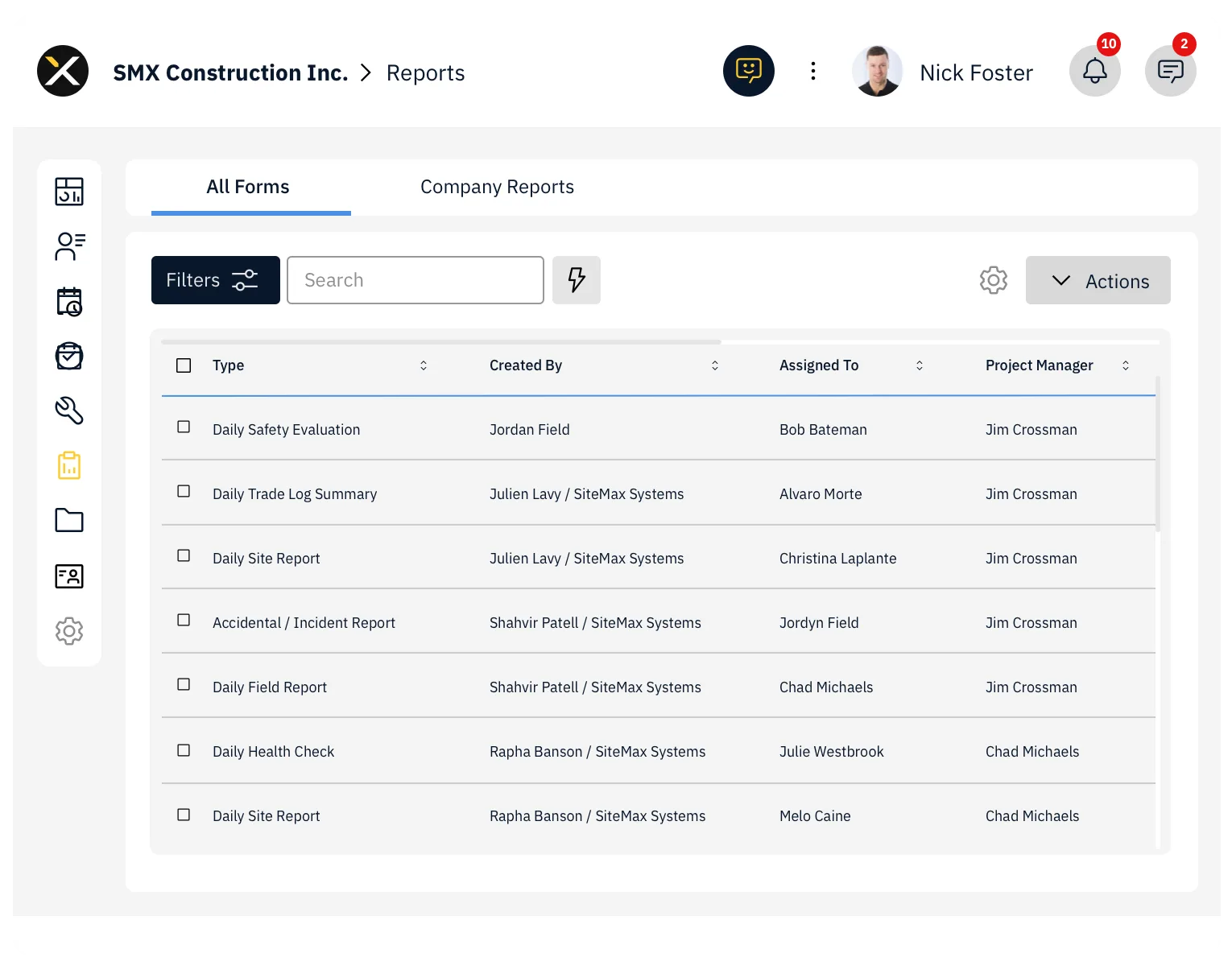
Reliable daily reporting is essential for compliance, communication and project documentation. SiteMax lets your teams complete structured reports from the field, with photos, files and work logs attached, then share them with stakeholders the same day.
Trusted on 150,000+ jobsites.

Built for the Way Reporting Actually Works.
Daily site logs
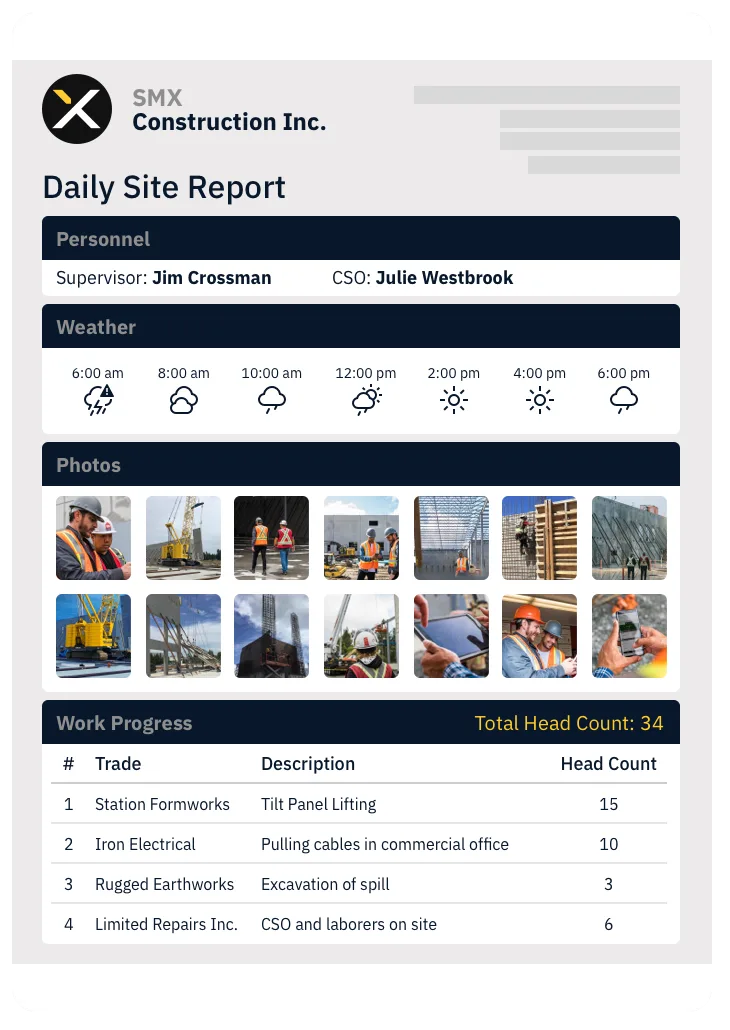
Capture work performed, labor, equipment and conditions in the same format on every project.
Photos and files
Attach supporting photos and files to any report from the field, so the evidence stays with the record.

Share and export
Email reports to stakeholders through distribution lists, and export clean records for compliance, billing or handover.
Searchable record keeping
Every report is stored with its project and stays searchable, giving you a complete reporting history across all your projects.
Your own report templates
Build report templates with the fields your projects and clients require, so every submission captures what you need.
Mobile report completion
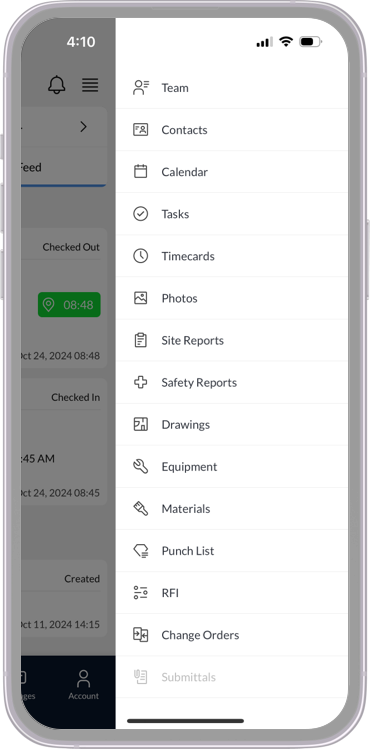
Complete and submit reports from any device on site. No paper to transcribe back at the office.
Approval and sign-off
Route reports for review and sign-off, so the right person approves the record before it is shared.
Every project day on one screen
Each project has a Day View for any date you pick. It brings the day's notices, SiteFlow activity, hourly weather, photos, timecards, site reports and safety reports together, and turns them into a project report you can generate on demand or send on a schedule.

Every day on one screen
Open any date to see that day's notices, SiteFlow activity, weather, photos, timecards, site reports and safety reports.
A notice board for the site
Post daily, weekly or monthly notices, such as site bulletins and safety bulletins, for specific job titles and projects, with linked reports to fill in.
Start a report from the day
Add a site or safety report straight from the Day View, and it is dated to the day you are viewing.

Build a project report in one click
Choose what to include, such as weather, photos, timecards, check-ins, purchase orders and the punch list, and generate the report.
Copy from an existing report
Start a new report from a previous one, so details that repeat day to day are already filled in.

Automatic daily project reports
In each project's settings, choose the content and the site and safety reports that go into the daily project report.
Send it on a schedule
Pick the send time and the days of the week, and the report goes out without anyone compiling it.
Distribution lists
Send reports to fixed lists, to people by project team title or site contact, or to emails you enter, including owners and consultants.

Hourly weather, recorded for you
Weather for the site is pulled in automatically from a weather service, hour by hour, with conditions, wind, humidity and pressure. Nobody types it in.
Share with clients
Email reports through distribution lists, or give clients free accounts with view access to their project's reports.
Everything That Happened Today, Captured Where It Happened.
Set up your templates
Build daily report templates with the fields your projects need, and choose who receives the daily project report.
Report from the field
Superintendents and foremen complete the report on their phone before they leave site, with photos and files attached.
Review, sign off and share
Reports are reviewed and signed off, then stored with the project and sent to stakeholders automatically.
Why contractors are moving daily reports off paper
Paper diaries and end-of-week write-ups leave gaps in the record. Here is how the two approaches compare.
Paper diaries and spreadsheets
Reports are written up after hours or days later, from memory. Photos live on someone's phone, weather is guessed, and the office chases missing reports before it can share anything.
SiteMax Daily Reports
Reports are completed on site from a template, with photos and files attached, while the Day View records the weather automatically. Reports are approved, stored with the project and sent to the right people on a schedule.
Better Compliance. Less Reporting Friction.
Reports filed from the field
Crews submit daily reports before they leave site, not from memory days later.
A consistent record every time
Templates mean every report captures the same fields, so nothing important gets skipped.
Nothing gets lost
Every report is stored centrally and stays searchable for compliance, disputes or closeout.
Structured Reports, Straight From the Point of Work.
Construction daily report software replaces the paper site diary. Superintendents and foremen record the day's work, labor, equipment, conditions and issues on a phone or tablet, and the report is stored with the project, searchable and ready to share.
In SiteMax, daily reports are built from your own form templates. Photos and files attach to each report, and every project has a Day View that brings the day's reports, notices, hourly weather, photos and timecards together on one screen.
The Day's Record Shouldn't Live in a Truck Console.
Daily reports are the official record of what happened on site: who was there, what got done, what the weather was and what went wrong. Written on paper or pieced together from memory at the end of the week, details get lost and reports show up late, if at all.
Missing or incomplete daily reports leave you exposed on delay claims, compliance and disputes, exactly when the record matters most. With SiteMax, the report is done on site and on file before the crew leaves.
Built for Everyone Who Relies on the Daily Record.
Site superintendents
File the day's report from the field instead of writing it up after hours.
Project managers
Get a complete, consistent daily record across every active project.
General contractors
Keep accurate daily documentation for compliance and delay claims.
Owners and consultants
See site progress on time without chasing the general contractor.
What to look for in construction daily report software
A digital form is not the same as a daily reporting system. These questions help you compare options.
Can it be finished on site?
If the report needs a laptop, it will be written up later from memory. Look for full mobile completion.
Can you use your own templates?
Every company and client wants different fields. Look for templates you can build and change yourself.
Does weather record itself?
Weather matters most when a delay claim comes up. It should be pulled in automatically for the site, not typed from memory.
Can reports go out automatically?
Look for scheduled project reports and distribution lists, so nobody compiles and emails them by hand.
Is there a sign-off step?
Approval before sharing keeps the official record accurate.
Connect the daily record to the rest of the job
Construction daily report questions
What is construction daily report software?
Construction daily report software lets superintendents and foremen record the day's work, labor, equipment, weather and issues on a phone or tablet instead of in a paper diary. In SiteMax, reports are built from your own templates, include photos and files, and are stored with the project so they stay searchable and easy to share.
Can daily reports be sent to owners and consultants automatically?
Yes. Each project can send a daily project report on a schedule you set, with the send time and days of the week. You choose what goes into it, such as weather, photos, timecards and selected site and safety reports, and who receives it through distribution lists, including people outside your company.
What is the Project Day View in SiteMax?
The Day View shows everything for one project on a chosen date: notices, SiteFlow activity, hourly weather, photos, timecards, site reports and safety reports. You can add reports from it, and create a project report from the day's items in one step.
Does SiteMax record the weather for each site?
Yes. SiteMax pulls the site's weather from a weather service automatically, hour by hour, with conditions, wind, humidity and pressure. It shows in the project's Day View and can be included in the daily project report.
Can clients see daily reports without a paid licence?
Yes. You can email reports to clients through distribution lists, or give them free user accounts with view permissions, so they can log in and see the reports and forms for their project.
Can I create a new daily report from a previous one?
Yes. When you fill out a report, you can copy from an existing one, so details that repeat from day to day are already filled in and you only update what changed.