Construction Forms Software for Daily Reports, Inspections and Site Logs
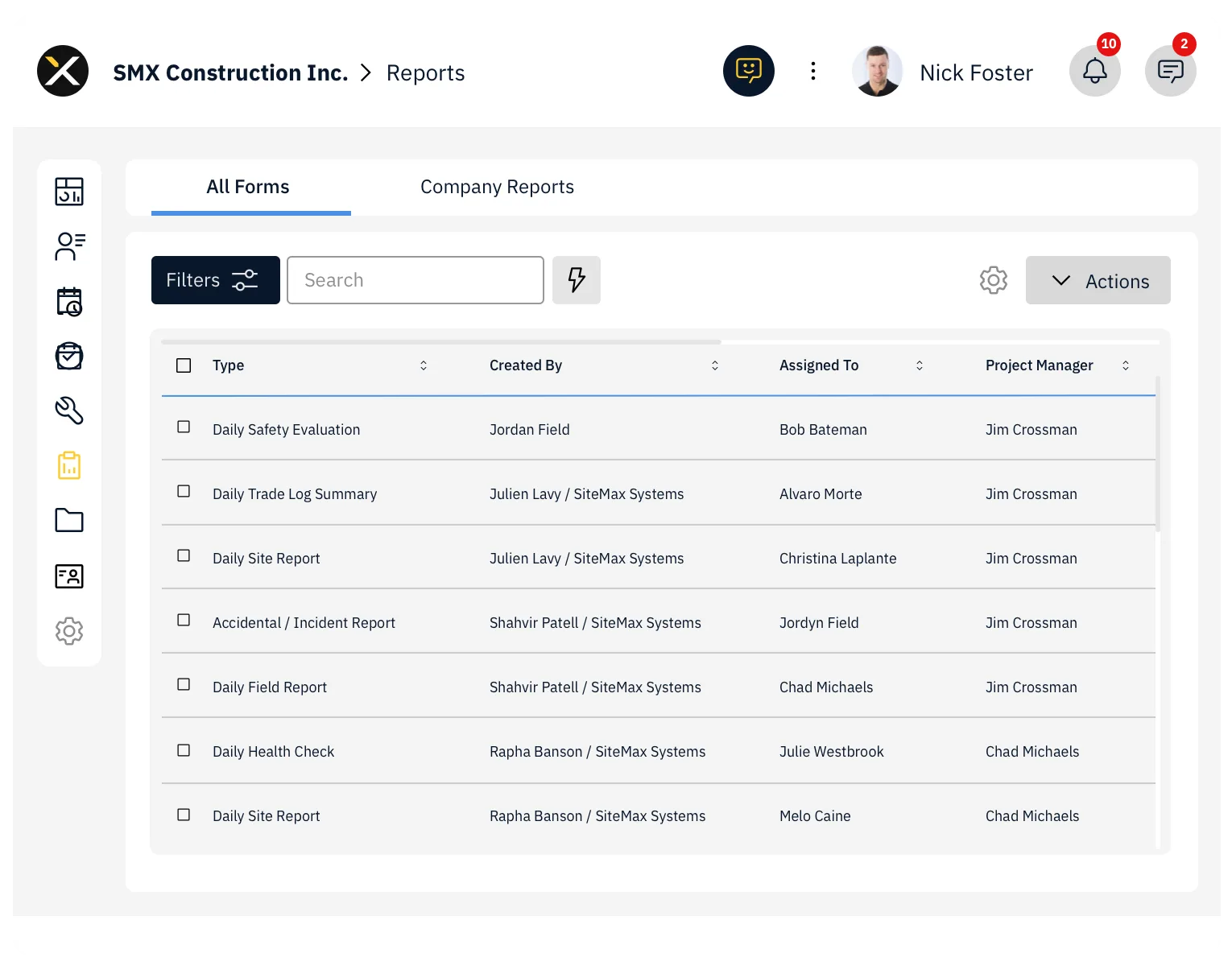
SiteMax replaces paper forms with customizable digital forms your crews complete on site, with photos and files attached, so every report is consistent and easy to find.
Trusted on 150,000+ jobsites.

Everything your field reporting needs in one place
Daily site logs
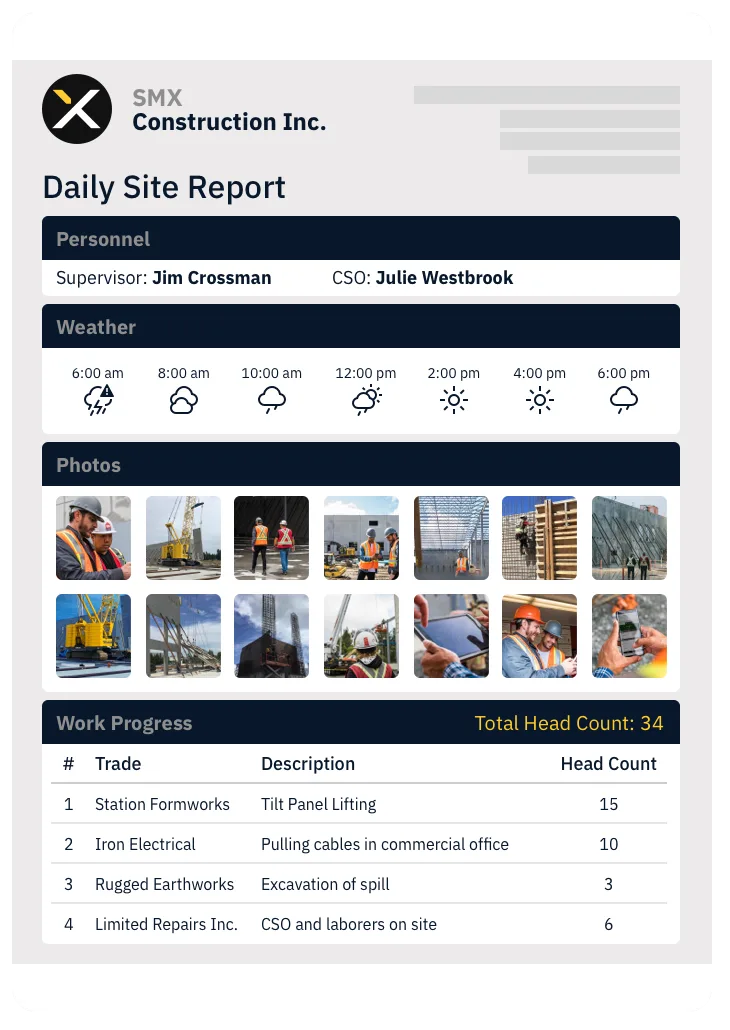
Standardize daily reporting with logs that capture work performed, labor, equipment and conditions in the same format on every project.
Photo and file attachments
Add supporting photos and files to any report from the field, so the evidence stays with the record.

Customizable form templates
Build forms that match your workflows and the fields your clients require, or start from the SiteMax form library.
Approval workflows
Route reports to the right reviewer for sign-off before they are finalized and shared.

Mobile report completion
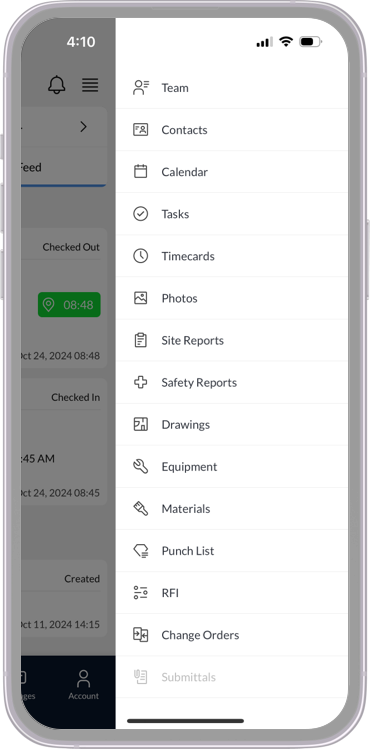
Crews complete and submit forms from any device on site, and forms can be created and viewed offline.
Sharing, exporting and record keeping
Share reports with stakeholders immediately, export records when you need them, and keep every submission stored and searchable.
Build any form your jobsite runs on
SiteMax Form Builder lets you create your own form templates with drag and drop. Each form is built from components: drag a tile into the form, set it up, and see exactly how it will look on a phone, a tablet, a desktop and as a PDF before anyone fills it out.

Input components
Text, phone, email, text areas, rich text, dates and times, checkboxes, radio buttons, select lists, signatures, diagrams, photo uploads, PDF uploads and tasks.
Output components
Titles, subtitles, instructions, links and images that guide the person filling out the form.
Layout components
Groups, column layouts of up to 4 columns and spacers keep long forms tidy, and columns turn into rows on mobile.

Required fields and visibility
Make a field required, read-only or shown only on screen or only on the PDF, and limit fields to certain job titles.
Autofill and calculations
Fill fields automatically from users and project data, and use number and money fields in formulas.
Assessments and safety logs
Ask yes or no questions with photos and comments attached, and record safety events straight into the Compliance module.

Preview on every device
Switch between mobile, tablet and desktop previews while you build, so the form works in the field before it goes live.
Photos, signatures and tasks
Allow up to 30 photos per upload and send them to the project's Photos module, capture signatures with a date and time stamp, and create assigned tasks from the form.

A professional PDF
Every form produces a clean PDF with your logo and the project details, ready to share with clients and inspectors.
Duplicate and revise
Duplicate a template to start a similar form, and every saved edit creates a revision of the template.
Start from a ready-made template
Here is a sample of the forms available as editable templates in SiteMax. Use them as they are, or open any template in Form Builder and change it to suit your company.
Daily reporting
- Daily Field Report
- Daily Site Report
- Daily Trade Log with Summary
- Daily Safety Evaluation
- Daily Safety Log
- Daily Health Check Questionnaire
Safety and incidents
- Field Level Hazard Assessment (FLHA)
- Toolbox Talk Sheet
- Safety Report
- Workplace Hazard Report
- Workplace Inspection Checklist
- Accident/Incident Report
- Incident / Near Miss Report
- First Aid Report
Equipment and vehicles
- Daily Machine Checklist
- Driver Pre-Trip / Post-Trip Inspection Checklist
People
- Worker Orientation
- Employee Warning Record
Turn a paper form into a SiteMax form
Already have the form on paper or in a document? Connect SiteMax AI to ChatGPT, upload a scan or a draft of the form, and it is created in SiteMax Form Builder for you, ready to review and use.
Start from what you already use
Upload a scan or photo of a paper form, or a draft in a document, instead of building it field by field.
Created in Form Builder
The form is set up as a SiteMax form template, with the same components you would drag in yourself.
Review before it goes live
Open the new template in Form Builder, check the preview on mobile and as a PDF, and adjust anything you need.
From blank form to signed-off report in three steps
Choose or build the form
Pick a form from the library or build a template with your own fields.
Complete it on site
Crews fill it out on a phone or tablet and attach photos and files.
Review, share and export
Reviewers sign off, and the report is shared with stakeholders and stored for later.

Why contractors are replacing paper forms
Paper and spreadsheets still run many jobsites, but they leave gaps that digital forms close.
Paper forms and spreadsheets
Reports are written by hand or typed up later, often from memory. Fields get skipped, handwriting is hard to read, and photos sit on personal phones. Finding last month's report means digging through folders or email.
SiteMax Forms
Reports are completed on site in a standard template, with photos and files attached. They are routed for sign-off, stored centrally and searchable, and can be shared or exported at any time.
Better compliance, better communication, less reporting friction
Improved compliance
Every report captures the same required fields, so nothing important gets skipped.
Better stakeholder communication
Owners, consultants and the office get completed reports without chasing paperwork.
Reduced reporting friction
Reports are done before crews leave site, instead of after hours or days later.
What is construction forms software?
Construction forms software turns the paper forms a jobsite runs on into digital forms. Daily reports, inspections, checklists and site logs are completed on a phone, tablet or computer, and every submission is stored in one place.
The goal is a consistent record of each day on site, complete and ready to share the day it is written.
Your daily record should not live in a truck console
Paper forms get written up late, pieced together from memory or lost before they reach the office. Missing or incomplete reports leave you exposed on delay claims, compliance and disputes.
With SiteMax Forms, crews complete reports at the point of work, attach photos and files, and submit them for review. The office sees the record the moment it is signed off.
Forms software for construction teams of every size
Construction teams of 5 to 1,000
Give every project the same daily report and inspection format. A consistent record across jobsites supports compliance and delay claims without heavy project management software.
Contracting teams of 5 to 100
Replace paper forms and separate apps with one place for reports, inspections and site logs. Crews get simple mobile forms, and the office gets records it can review and export.
Self-performing teams
Lightweight, configurable forms suit in-house crews who do the work themselves. Timely reports keep owners and key stakeholders informed about site progress.
What to look for in construction forms software
These questions show how a forms app holds up on a real jobsite.
Can you build forms around your own process?
Your reports should use your fields and terms. Look for customizable templates rather than a fixed set of forms.
Is it fast to complete on a phone?
Crews skip forms that are slow to fill in. Look for mobile forms that work on the devices your team already carries.
Does it work with poor signal?
Many jobsites have weak coverage. Check whether forms can be opened and completed offline.
Does each report carry its evidence?
Photos and files make a report useful when a dispute or delay claim comes up. Make sure they attach to the record itself.
Can you find and share records later?
Look for central storage, search, approval workflows and exports, so reports are ready for compliance, billing and handover.
Connect forms to the rest of the jobsite
"What I like most about SiteMax is the in-depth reporting and tracking, going back to see project details months after completion. With a million things going on as a General Superintendent, seeing photos and daily site reports of a given day helps a ton."
 Kyle ScottGeneral Superintendent, Wales McLelland Construction
Construction forms software questions
What is construction forms software?
Construction forms software replaces paper forms with digital forms that crews complete on a phone, tablet or computer. Daily reports, inspections and site logs are captured in a consistent format, with photos and files attached, and stored centrally so they are easy to search, share and export.
Can I build my own forms in SiteMax?
Yes. SiteMax includes customizable form templates, so you can build forms with the fields your projects and clients require. You can also choose from the SiteMax form library, which collects forms other teams have used. Once a form is built, it is available on every project and can be submitted from any device.
Can crews fill out forms without an internet connection?
Yes. SiteMax forms can be created and viewed offline on mobile, which helps on jobsites with weak or no signal. Everything syncs to the office so managers can see field updates.
What is a daily construction report?
A daily construction report is the official record of a day on site. It covers the work performed, labor and equipment on site, weather and conditions, and any issues. A complete daily report protects you on delay claims, compliance reviews and disputes, which is why it should be written at the point of work rather than from memory.
Can reports be reviewed before they are shared?
Yes. Approval workflows route each report to the right reviewer for sign-off before it is finalized. Once approved, reports can be shared with owners, consultants and the office right away, or exported for compliance, billing or handover. Every signed submission stays stored and searchable as part of the project record.
Can AI build my forms for me?
Yes. Connect SiteMax AI to ChatGPT and upload a scan or a draft of an existing form, and it is created as a template in SiteMax Form Builder. You can then review it, preview it on mobile and as a PDF, and adjust it before your crews use it.
Does SiteMax come with form templates?
Yes. SiteMax includes editable form templates. A sample of what is available: daily reporting forms such as the Daily Field Report, Daily Site Report and Daily Trade Log, safety forms such as FLHAs, toolbox talks, hazard reports, workplace inspections and incident, near miss and first aid reports, equipment checklists such as the Daily Machine Checklist and driver pre-trip inspection, and people forms such as worker orientation. Every template can be edited in Form Builder.